Backups Overview
GitSec creates encrypted snapshots of your Git repositories. Each backup captures the data you choose and stores it securely.
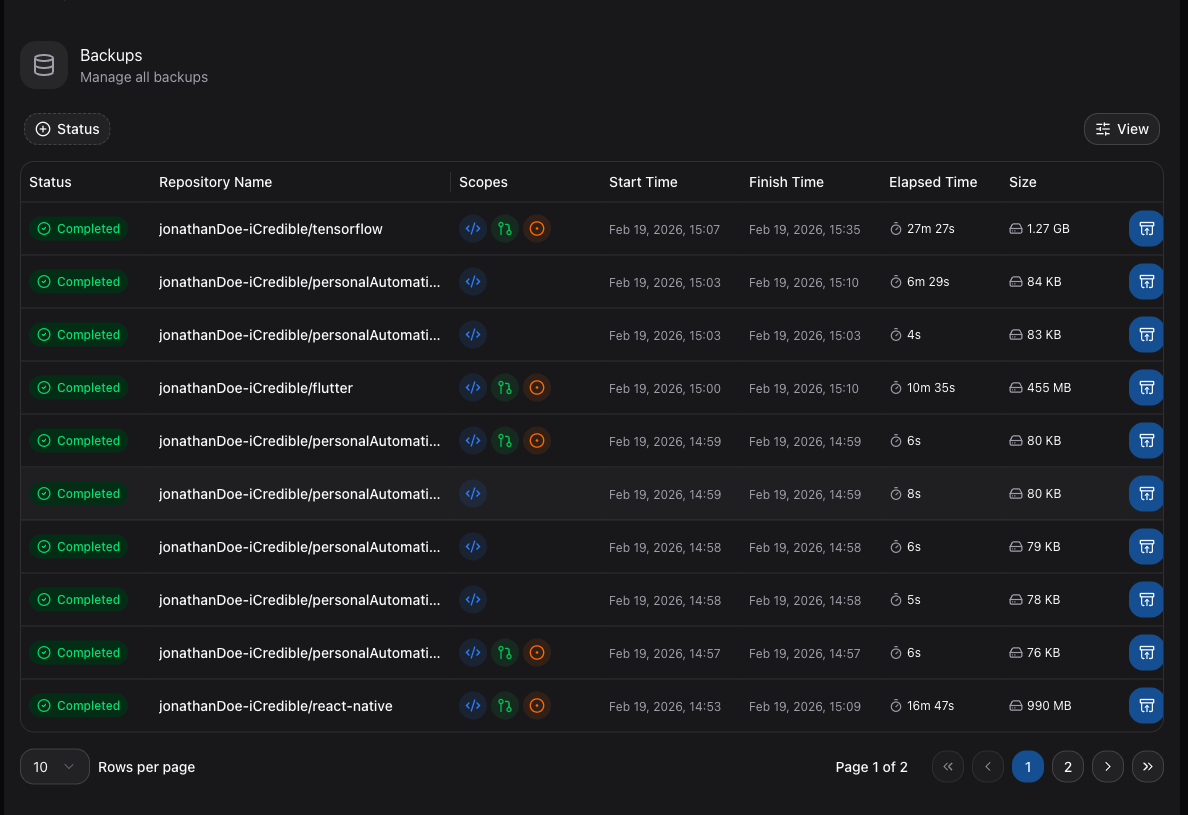
How Backups Work
When a backup runs, GitSec connects to your Git provider (e.g., GitHub) using the installed app's read-only permissions. It then downloads and encrypts the selected data scopes, storing the result as a backup snapshot.
Each snapshot is immutable. Once created, it cannot be modified. This ensures data integrity for compliance and recovery purposes.
Backup Scopes
You can control what data is included in each backup:
| Scope | Status | Description |
|---|---|---|
| Code & Commits | Active | All branches, tags, and full commit history. |
| Pull Requests | Active | Open and closed PRs, including comments and review data. |
| Issues | Active(Github) | Open and closed issues, including labels, assignees, and comments. |
| Wiki Pages | Coming Soon | Repository wiki content. |
| Projects | Coming Soon | Projects boards and cards. |
| Releases | Coming Soon | Tagged releases with assets and changelogs. |
Backup Triggers
There are three ways to trigger a backup:
| Trigger | Description |
|---|---|
| On Demand | Manually triggered from the repository detail page. |
| Scheduled | Automatically triggered by a scheduler at a configured interval. |
| Push Event | Automatically triggered on every git push when push event backups are enabled. |
Backup Storage
Backups are stored in either:
- GitSec Storage: Managed infrastructure with TR, US, and EU regions.
- BYOS (Bring Your Own Storage): Your own AWS S3, Azure Blob, Google Drive, Onedrive, or Huawei OBS bucket.
See Storage Overview for configuration details.