Dashboard
The Dashboard is the first page you see after signing in. It gives you an at-a-glance view of your backup health and recent activity.
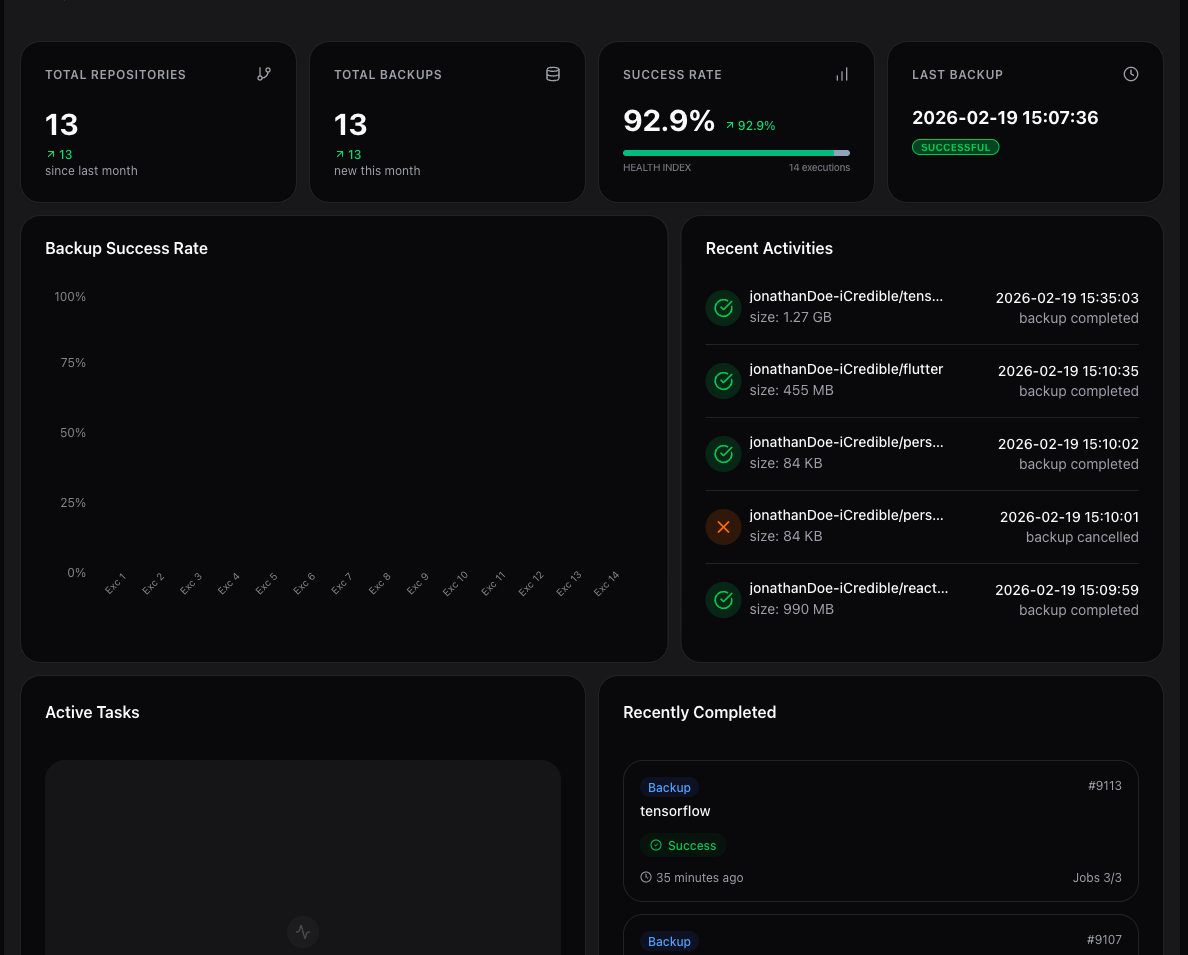
Metrics
Four metric cards are displayed at the top of the Dashboard:
| Metric | Description |
|---|---|
| Repositories | The number of repositories connected to GitSec. Click the icon in the card header to open the Repositories page. |
| Backups | The total number of backup snapshots created across all repositories. Click the icon in the card header to open the Backups page. |
| Success Rate | The percentage of successfully completed executions, with a per-status health breakdown. |
| Storage Size | The total storage size of your backup snapshots. Click the icon in the card header to open the Storage page. |
Each card also shows how its value changed compared to the previous month.
Success Rate health breakdown
The Success Rate card includes a stacked health bar that splits all executions by status: Completed, Partially Completed, Failed, In Progress, Pending, Paused, and Cancelled. Hover over the chart icon in the card header to open a Current Breakdown tooltip with the exact count for each status and the total number of executions. The Health label below the bar shows the total execution count the bar represents.
Backup Storage Usage
The Backup Storage Usage chart shows how much backup storage was consumed over time, with one bar per date. Hover over a bar to see the exact size stored on that day. Use this chart to spot unusually large backups and to track how your storage footprint grows.
Recent Activities
The Recent Activities panel shows a feed of the latest backup and restore operations, including:
- The repository name
- The operation and its status (e.g. backup completed, restore failed, backup in progress, paused, or cancelled)
- The resulting size for finished backups
- The timestamp
Active Tasks and Recently Completed
Two additional panels display:
- Active Tasks: Currently running backup or restore jobs with progress indicators.
- Recently Completed: The most recent finished operations with their status (success or failed).
Both panels include a View all button that takes you to the Activity page for the full history.